
Import from Jira
Move a Jira project to TaskPebble in about ten minutes
Export a CSV from Jira, upload it, and your epics, stories and sub-tasks arrive as a working hierarchy, with progress rollups and a Gantt timeline ready to use.
1. Export from Jira
In Jira, search for your project's issues, then choose Export → Export CSV (all fields). Include sub-tasks in the search.
2. Upload to TaskPebble
Create a free account, open a project and click Import. Drop the CSV in. TaskPebble recognises a Jira export automatically and shows a preview before anything is created, so you can fix names or the nesting first.
3. Check what came across
| In Jira | In TaskPebble |
|---|---|
| Epic | Deliverable (or “Epic” with the Jira naming preset) |
| Story, Task and other types | Task |
| Bug | Bug |
| Sub-task | Subtask |
| Parent / Epic Link | Kept as the hierarchy |
| Status | To do, In progress, In review, Done, Backlog or Cancelled |
| Priority | Urgent, High, Medium or Low |
| Assignee | Matched to a workspace member by email or name; otherwise kept as a name |
| Story Points | Story points |
| Start date and Due date | Start and due dates |
| Description | Description |
If a row would break the hierarchy, for example a sub-task sitting directly under an epic, TaskPebble fixes it up rather than refusing the whole file.
4. See it come alive
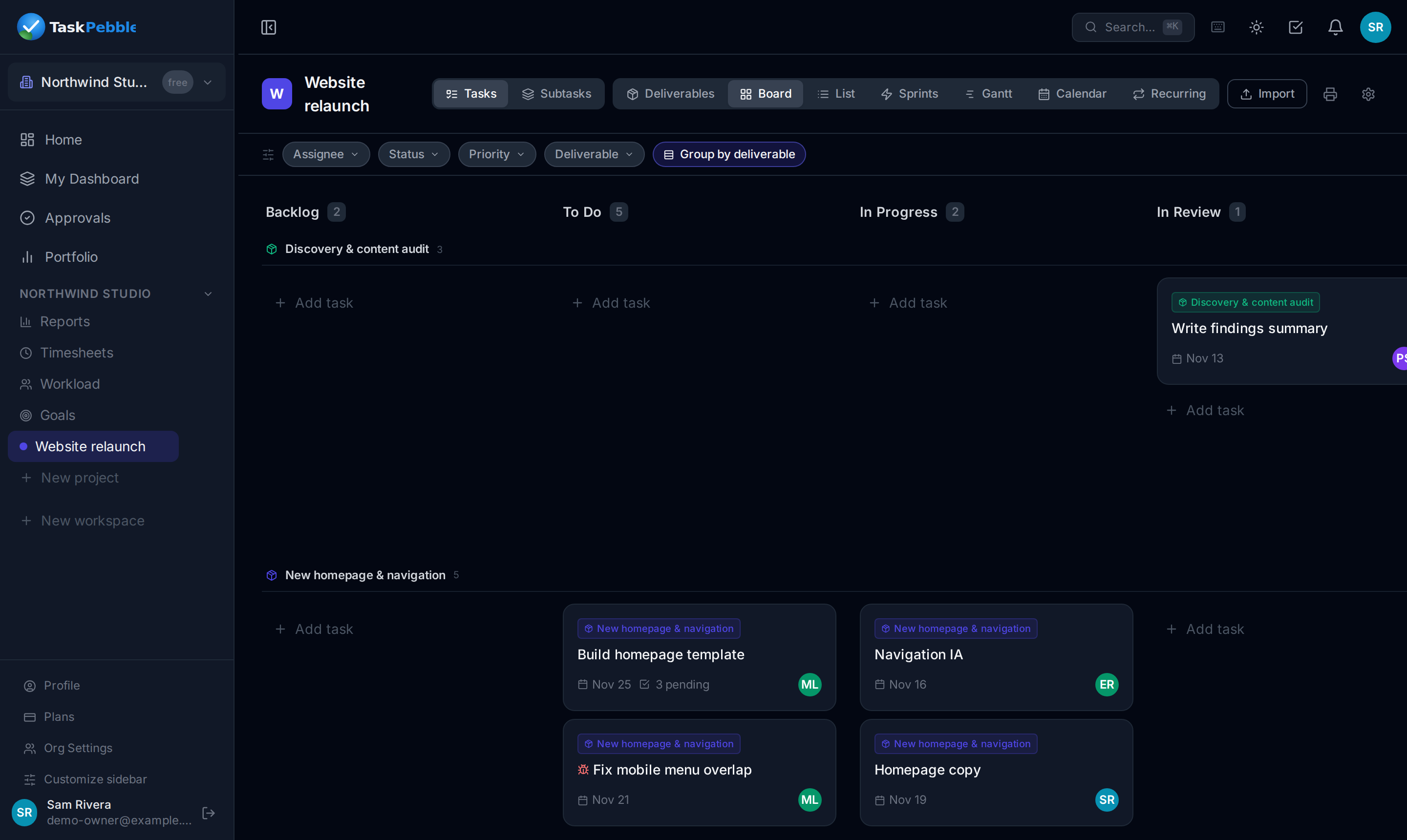
Open the board and group it by deliverable, or open the Gantt and see each deliverable as a bar across its tasks. Progress rolls up automatically as work closes.
Want a hand?
Message me and we'll do the import together on a 20-minute call, then I'll walk you through the result. Free while we're small. Ask for help.
Questions
Does it import comments and attachments?+
Not yet. The import brings issues, the hierarchy, statuses, priorities, assignees, dates, story points and descriptions.
What about sprints?+
Sprint membership isn't imported. Create your sprints in TaskPebble and drag tasks in from the backlog.
What if we use custom issue types?+
Epics, bugs and sub-tasks are recognised. Anything else, like Story or a custom type, comes in as a task.
Can I try it without committing?+
Yes. Import into a free workspace, look around, and delete it if it isn't for you.
Do I need Jira Premium for the hierarchy to come across?+
No. Epic → Story → Sub-task from any Jira plan imports as a three-level hierarchy.
Start free and import your first project
Free for up to 5 people. No card, no sales call.